Field note / BLExAR
HM-10 vs nRF52: Not the Same BLE UART Profile
Why HM-10's single-characteristic UART and the Nordic UART Service aren't interchangeable, and the newline-framing gotcha that only appears at low MTU.

Joshua HriskoPrincipal Engineer
5 min readSan Francisco, CA
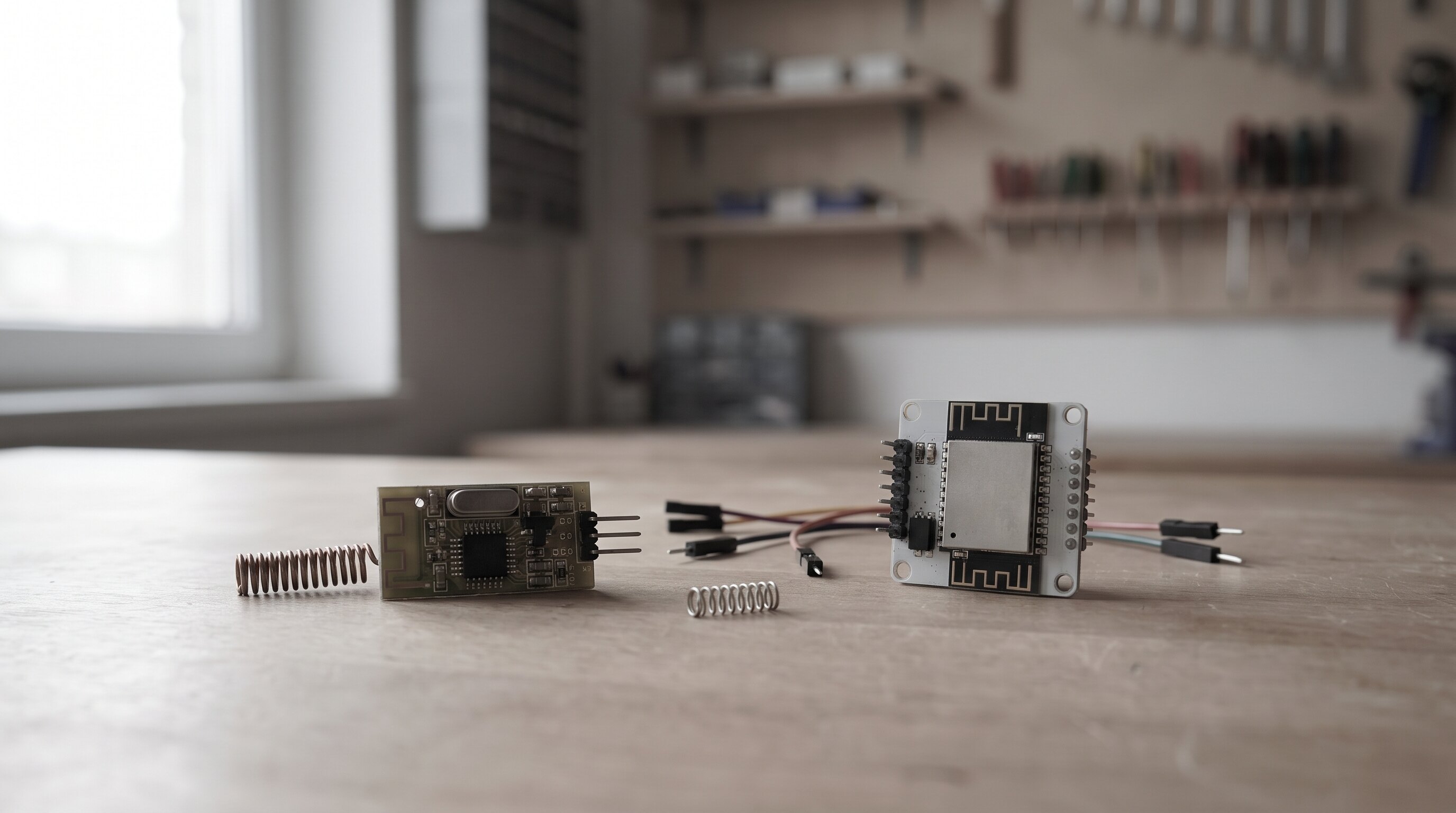
Most “Bluetooth serial for Arduino” tutorials treat every cheap BLE module as a drop-in replacement for the old HC-05/HC-06 SPP bridges — pair it, open a terminal, done. That’s true at the AT-command level. It stops being true the moment you write real CoreBluetooth central code instead of using a generic BLE terminal app, because HM-10-family clones and Nordic’s nRF52 boards expose genuinely different GATT shapes under that same “BLE UART” label. BLExAR has to talk to both — HM-10, CC254x, and nRF52 modules — from one iOS app, so the difference isn’t academic.
Two “BLE UART” bridges, two different characteristic layouts
HM-10 clones expose one vendor service (FFE0) with a single characteristic (FFE1) that does double duty — it’s both writeWithoutResponse (central → peripheral) and notify (peripheral → central) on the same UUID. Nordic’s UART Service (NUS) splits that in half: one service (6E400001-B5A3-F393-E0A9-E50E24DCCA9E) with two separate characteristics, one for each direction:
// HM-10: one characteristic does both directions
let uartService = CBUUID(string: "FFE0")
let uartChar    = CBUUID(string: "FFE1") // write + notify, same UUID

// Nordic UART Service (nRF52): direction is split across two characteristics
let nusService = CBUUID(string: "6E400001-B5A3-F393-E0A9-E50E24DCCA9E")
let nusRX      = CBUUID(string: "6E400002-B5A3-F393-E0A9-E50E24DCCA9E") // write
let nusTX      = CBUUID(string: "6E400003-B5A3-F393-E0A9-E50E24DCCA9E") // notify
Central-side code written against one of these and pointed at the other won’t just behave differently — discoverCharacteristics for FFE1 against an nRF52 running NUS returns nothing, because that characteristic doesn’t exist there. BLExAR’s connection flow has to check for FFE0 first, then fall back to 6E400001, before it knows which read/write UUIDs to actually use.
There’s no length prefix — the newline carries the whole protocol
Neither module family gives you a framed packet with a length header. BLExAR’s own format is plain ASCII, comma-separated, newline-terminated — "1234,23.5,1023\n" — and the only thing marking where one row ends and the next begins is that 0x0A byte. That works because BLE notifications aren’t guaranteed to line up with your rows: a notification is capped at the negotiated MTU (20 bytes on a legacy HM-10 connection, up to 185 bytes on nRF52/iOS 10+, 512 under BLE 5), and a ~14-byte row can straddle two notifications if the previous one ended with a partial number left over. The fix is a small accumulating buffer on the receive side, not a smarter parser:
func peripheral(_ p: CBPeripheral, didUpdateValueFor c: CBCharacteristic, error: Error?) {
    guard let data = c.value else { return }
    lineBuffer.append(data)
    while let nl = lineBuffer.firstIndex(of: 0x0A) {
        let line = lineBuffer.prefix(upTo: nl)
        // parse line as CSV, then:
        lineBuffer.removeSubrange(...nl)
    }
}
Code that assumes “one row per notification” instead of buffering to the delimiter will corrupt data intermittently rather than obviously — it looks fine in a quick test and drops or garbles rows once you run it long enough for a fragment to land at exactly the wrong byte.
Two more things worth knowing before you wire this up
- MTU changes throughput, not just packet count. At 20 bytes, HM-10 sends roughly one row per notification; nRF52’s 185-byte MTU can batch 10+ rows into a single notification, which means fewer radio wakeups and meaningfully better battery life at the same sample rate — worth choosing hardware around if you’re logging continuously.
- Query the negotiated MTU instead of assuming one.
CBPeripheral.maximumWriteValueLength(for:)tells you what you actually got after connecting. A lot of starter BLE-serial code hardcodes the pre-iOS-10 20-byte default, or copies a 185-byte assumption from an nRF52 tutorial — either one silently misbehaves against the other module family. BLExAR reads this value instead of guessing.
None of this shows up if you’re only sending short test strings from a generic BLE scanner app — it shows up once you’re streaming real sensor rows at a real sample rate over a real connection.
BLExAR’s own Arduino-to-iOS bridge — including the CSV export path — pairs with the Arduino Nano ESP32 and an SSD1306 OLED display, the real hardware behind it. If you want the sketches and Swift bridge code directly rather than reading them here, the BLExAR Nano+OLED Starter packages the RFID, GPS, and OLED builds with the BLE snippet and a wiring diagram. For everything else in the ios-craft space, this GATT/framing distinction is worth checking before you assume two “BLE UART” modules are interchangeable.
Want to see the framing live instead of reading it? The BLE GATT / CSV frame visualizer lets you switch between HM-10 and nRF52 service layouts, inject raw bytes at different MTUs, and watch the reassembly buffer fill and flush in real time.
Recommended Studio & Hardware Gear
Affiliate links support independent R&DTested studio equipment and reference hardware utilized for this build. Product images & pricing sourced from Amazon Creators API / SparkFun Electronics.
![Arduino Nano ESP32 with Headers [ABX00083] - ESP32-S3, USB-C, Wi-Fi, Bluetooth, HID Support, MicroPython Compatible for IoT & Embedded Projects](https://m.media-amazon.com/images/I/41aMPoHsVnL._SL500_.jpg) $19.30Microcontroller
$19.30MicrocontrollerArduino Nano ESP32 with Headers [ABX00083] - ESP32-S3, USB-C, Wi-Fi, Bluetooth, HID Support, MicroPython Compatible for IoT & Embedded Projects
Official Arduino board (ABX00083) — Bluetooth/WiFi capable, used for BLExAR's e-paper and BLE prototyping.
 $9.99Display
ELEGOO 3PCS 0.96 Inch OLED Display Screen Module Compact Self-Luminous SSD1306 I2C Display Mini Screens for Arduino Projects (White)
Small OLED display used in BLExAR's Pico display build.
![Arduino Nano 33 BLE Rev2 [ABX00071] - nRF52840 Microcontroller, Bluetooth Low Energy (BLE), MicroPython Support, Small Form Factor, 3.3V for IoT & Wireless Projects](https://m.media-amazon.com/images/I/4184x4XJkyL._SL500_.jpg) $24.20Microcontroller
$24.20MicrocontrollerArduino Nano 33 BLE Rev2 [ABX00071] - nRF52840 Microcontroller, Bluetooth Low Energy (BLE), MicroPython Support, Small Form Factor, 3.3V for IoT & Wireless Projects
nRF52840 board running ArduinoBLE — same chipset family as XIAO nRF52840 in BLExAR builds, exposing GATT structure this page visualizes as byte-level CSV frames.
 $29.10Book
Real-Time Systems
Schedulability Theory: hyperbolic bound, SRP, and response-time analysis R_i = C_i + Σ⌈R_i/T_j⌉ C_j — formulas this scheduler evaluates to predict deadline misses before Gantt draws them.
 $329.00Wearable
Apple Watch Series 11, GPS 46mm, Jet Black Aluminum
The watchOS target itself. Any on-device inference claim for the Watch is bounded by its CPU-accessible bandwidth, which Apple does not publish.
 $14.98Microcontroller
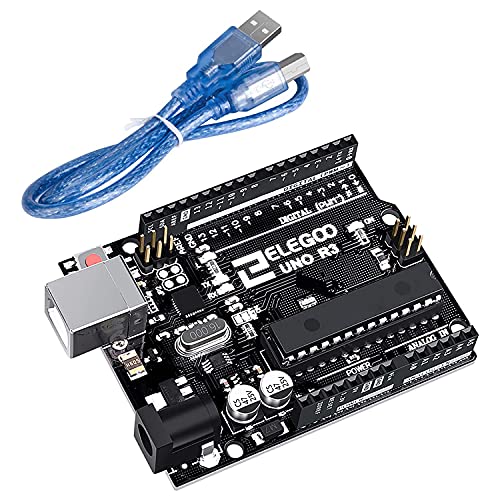
ELEGOO UNO R3 Board ATmega328P with USB Cable(Arduino-Compatible) for Arduino
ATmega328P-based Uno R3 clone — used across BLExAR's RFID, GPS, and joystick hardware builds. Also the usual microcontroller for reading an IMU's raw quaternion over I2C.
Prices shown were retrieved from the Amazon Product Advertising API on 19 July 2026 and are indicative only — the price and availability on Amazon at the time of purchase apply.
Prices shown were checked against the Amazon product listing on 9 August 2026 and are indicative only — the price and availability on Amazon at the time of purchase apply.