Playground · app-grounded instrument
iOS craftBLE GATT / CSV Frame Visualizer
How raw serial bytes become a CSV row. Explore HM-10 (FFE0/FFE1) and nRF52 UART (6E400001/002/003) GATT hierarchy, watch UART packets fragment across BLE notifications, and see the exact newline-delimited ASCII → CSV → file parsing BLExAR uses.
GATT Services
BLExAR strategy
1) Scan for FFE0 or 6E400001 → 2) discover FFE1 / 6E400002 (RX) & 003 (TX) → 3) setNotifyValue(true) → 4) accumulate Data until 0x0A → 5) UTF8 → split(',') → CSV row → file. No length prefix, just newline. If fragment splits mid-number, buffer holds until NL.
UART byte stream → frames
Type raw ASCII below. It will be chunked into BLE notifications (payload 20 B for HM-10, 182 B for nRF52 — ATT MTU 23/185) and reassembled into CSV rows. Try injecting noise.
BLE notifications (hex + ASCII)
Reassembly buffer (lineBuffer)
Parsed CSV rows
BLExAR writes exactly these rows to file. No extra quoting because values are numeric.
| t | ADC | Temp | valid? |
|---|
Arduino (sender)
// Arduino -> HM-10 UART -> BLE -> iOS CSV
void loop() {
  float t = millis()/1000.0;
  int   a = analogRead(A0);
  Serial.print(t,3); Serial.print(',');
  Serial.print(a);   Serial.print('\n');
  delay(50); // 20 Hz
}
Firmware for your own board — this page simulates the link rather than running it.
iOS (GATT + reassembly, BLExAR)
let uartService = CBUUID(string: "FFE0") // HM-10
let uartChar    = CBUUID(string: "FFE1")
func peripheral(_ p: CBPeripheral, didDiscoverServices e: Error?) {
  p.discoverCharacteristics([uartChar], for: service)
}
func peripheral(_ p: CBPeripheral, didUpdateValueFor c: CBCharacteristic, error: Error?) {
  guard let data = c.value else { return }
  // BLExAR framing: \n-delimited ASCII, e.g. "1234,23.5,1023\n"
  lineBuffer.append(data)
  while let nl = lineBuffer.firstIndex(of: 0x0A) { /* parse CSV */ }
}
iOS client for your own app.
Why a UART bridge needs no length byte
BLE has no serial cable. It has a database: services contain characteristics, each with a value and properties. The HM-10 cheats — it pretends an old Bluetooth 2.0 SPP UART is just one service FFE0 with one characteristic FFE1 that both writes and notifies. Byte goes in via writeWithoutResponse, byte comes out via notification. That's the entire bridge.
BLExAR leans on that cheat to the extreme: Arduino does Serial.print(t); Serial.print(','); Serial.print(adc); Serial.print('\n') — raw ASCII — and iOS reconstructs rows by hunting for newline 0x0A. No header, no checksum, no length prefix. Simple enough that a dropped packet just kills one CSV row instead of desyncing the whole stream.
GATT hierarchy — what you scan for
Service FFE0 (HM-10 vendor)
└ Char FFE1: writeWithoutResponse | notify
Service 180A Device Info
└ Char 2A24 Model Number: read
Service 6E400001-B5A3-F393-E0A9-E50E24DCCA9E (Nordic NUS)
├ Char 6E400002 ... write | writeWithoutResponse (RX: central→periph)
└ Char 6E400003 ... notify (TX: periph→central)
nRF52 splits RX/TX into two characteristics — proper UART symmetry. HM-10 merges them — simpler, but you can't set different permissions. Custom BLExAR extension adds 6E400004 as CSV control: write "START" / "STOP" to toggle logging without stopping BLE. Both stacks work, we show all three tabs above.
MTU and fragmentation math
row_bytes = len("0.100,510,23.5\n") = 15 B (14 chars + newline)
HM-10 payload = 20 B (ATT MTU 23) → 1.33 rows per notification
nRF52 payload = 182 B (ATT MTU 185) → 12 rows per notification
Throughput = rows_per_notif × notif_rate (30 Hz typical)
At 20 Hz sampling, HM-10 still mostly sends one complete row per notification — unless previous row straddles boundary, then "0.100,510,23.5\n0.150" and next packet completes ",518,23.7\n". That's why lineBuffer exists: accumulate Data until 0x0A. At a 182 B payload, you batch 12 rows, wake CPU less, battery lasts. iOS reports MTU via peripheral.maximumWriteValueLength and maximumWriteValueLength(for: .withoutResponse).
CSV framing — why newline beats length prefix
Input: ASCII "t,adc,temp\n"
No binary: readable in Serial Monitor
Delimiter: ',' → split, 0x0A → row commit
Partial: buffer holds "0.15" until "\n" arrives
Length-prefixed binary is more efficient, but if one length byte corrupts, you lose sync forever. Newline-delimited ASCII is self-resynchronizing — worst case you lose one row. For lab sensors that output numbers, human-readable wins. BLExAR validates with parts.count >=2 && parseFloat(parts[0]) is finite — that's the green check above. Inject a null byte with the button to see it turn red.
HM-10 vs nRF52 — real differences
- HM-10 (CC2540): MTU 20, baud 9600 default, AT commands over same UART, no flow control, 1 connection, ~8 KB RAM. Needs AT+BAUD, AT+NAME.
- nRF52 (nRF52832): MTU 185 (iOS) / 512 (BLE 5), 2 Mbit PHY, DLE, up to 20 connections, 64 KB RAM, proper flow, battery service 180F included. Needs SoftDevice S132.
- Both speak same CSV — just transport differs. That's why BLExAR probes both UUIDs on scan.
- HM-10 caps at ~0.6 kB/s useful (20 B payload × 30 notif/s). nRF52 at 182×30 → 5.5 kB/s → supports 50 Hz × 20 B rows easily.
Playbook — sender and receiver
Arduino side (sender)
Serial.begin(9600)for HM-10, 115200 for nRF52.- Never use
Serial.printlnwith default float precision —print(val,3)limits to 3 decimals → fixed 12-14 B rows → predictable MTU packing. - Use
delay(50)for 20 Hz. No faster than the link allows: one row fits a 20 B payload, but 50 Hz × 15 B = 750 B/s already exceeds the 600 B/s an HM-10 drains at 30 notifications/s → queue builds → packet loss. - Add timestamp
millis()/1000.0first column — iOS side uses it for x-axis, packet loss detection.
iOS side — BLExAR exact loop (Swift)
- Scan:
central.scanForPeripherals(withServices: [FFE0, 6E400001]). - Connect → discoverServices → discoverCharacteristics FFE1 / 002+003.
setNotifyValue(true)on TX characteristic (FFE1 or 6E400003).- On
didUpdateValueFor:lineBuffer.append(characteristic.value). - While
firstIndex(of: 0x0A) != nil: slice line, UTF8 decode,split(','), validate numeric, append to CSV file viaFileHandle, update UI. - If leftover > 512 bytes without NL, drop buffer — corrupted stream guard.
Throughput ceiling and battery
BLE notify interval min 15 ms on iOS = 66 notifs/s, but average 30/s. HM-10: 20 B ×30 =600 B/s → 40 rows/s at 15 B/row. nRF52: 182×30=5.5 kB/s → 364 rows/s. So HM-10 barely does 20 Hz reliably if rows grow (e.g., 6 columns IMU). That's why advanced builds switch to binary: pack float32 ×3 =12 B + 4 B timestamp =16 B per sample — one row in a 20 B payload, but 50 Hz × 16 B = 800 B/s is over the 600 B/s average ceiling; workable only when iOS paces notifications faster than ~38/s. BLExAR keeps ASCII for readability but notes binary option in field guide.
Honesty — what this bridge can't do
- No acknowledgment per row —
writeWithoutResponse+ notify = unacked. If radio drops packet, row disappears. Checksum would catch, but BLExAR prefers simplicity: timestamp gaps reveal loss. - HM-10 has no flow control over BLE — if Arduino spams at 115200 baud but BLE only drains 600 B/s, internal buffer overflows at 64 bytes → silent truncation. Must pace with delay.
- ASCII
0x00injection (try the fuzz button) breaks UTF8 decode — BLExAR's Data → String with.utf8returns nil → row marked invalid. Real sensors shouldn't emit null, but wiring noise can. - iOS backgrounding kills scan after 10 s unless you have
bluetooth-centralbackground mode + active connection. CSV logging in background works, discovery doesn't. - This visualizer mocks BLE stack — no real CBCentralManager. MTU chunking simulation matches iOS behavior, but actual fragmentation is handled by Link Layer, not GATT.
Anatomy of the visualizer
Three columns, one data pipeline — from GATT tree to byte stream to parsed CSV. Here is what each piece does, exactly.
The GATT tree and byte pipeline
- 01
GATT service tree. Three tab-selectable stacks: HM-10 (FFE0/FFE1), nRF52 Nordic UART (6E400001/002/003), and a custom BLExAR extension that adds a CSV control characteristic (6E400004). Each shows UUIDs, characteristic names, and property flags (write, writeWithoutResponse, notify, read). This matches exactly what CoreBluetooth's didDiscoverCharacteristics callback returns.
- 02
MTU-based chunking. The raw ASCII input is encoded to UTF-8 bytes via TextEncoder, then split into arrays of the negotiated payload size (ATT MTU minus the 3-byte header — 20, 182 or 509 B). HM-10 at 20 B typically sends 1 row per notification. nRF52 at 182 B batches 12 rows. The hex dump + ASCII safe view shows each byte (hex) with an ASCII preview alongside — 0x0A renders as the visible ↵\n marker.
- 03
LineBuffer reassembly. The core CSVParser loop: concatenate each chunk's decoded text, scan for 0x0A, slice complete lines, trim, and push to CSV output. Any leftover after the last chunk stays in the buffer — this is the "partial line" shown in the buffer readout. If the buffer exceeds 512 bytes without a newline, BLExAR drops it as a corrupted stream guard.
CSV parsing and export
- 01
Row validation. Each line is split on ','. A row is valid if it has ≥2 parts AND parseFloat(part[0]) is finite. The first column is always a millisecond timestamp — if it parses, the row is likely intact. Valid rows get a green check within the table; invalid rows get a red × and appear on a red background. The corrupt byte button inserts a null byte (0x00) to demonstrate UTF-8 failure.
- 04
Export CSV button. Reads the current table DOM, extracts all visible rows (first 3 columns), joins with commas, creates a Blob with MIME type text/csv, and triggers a download via a temporary anchor element. This mirrors BLExAR's FileHandle.append logic — row-at-a-time writes instead of full-file recomputation.
Throughput ceiling per MTU × notify rate
HM-10: 20 B × 30 Hz = 600 B/s → 40 rows/s at 15 B/row. nRF52: 182 B × 30 Hz = 5.5 kB/s → 364 rows/s. A 20 Hz Arduino loop writing 15-byte rows needs only 300 B/s — well within both, but the HM-10 buffer overflow risk at higher baud rates is real.
Gear behind this build
BLExAR stack · 40 picks
BLE hardware40
 Microcontroller
Seeed Studio XIAO nRF52840 (Pre-Soldered)
Tiny nRF52840 BLE board used for BLExAR's Bluetooth prototyping.
 $14.59Microcontroller
2Pcs Raspberry Pi Pico Development Board, Raspberry Pi RP2040 Dual-core ARM Cortex M0+ Processor, Running Up to 133 MHz, Support C/C++/Python, 2MB Quad SPI Flash Integrated with SPI/I2C/UART Interface
RP2040 board used for the WS2812 LED ring and OLED display builds.
 $24.99Microcontroller
GeeekPi nRF52840 MDK USB Dongle w/Case Development Platform
nRF52840 dongle acting as BLE sniffer — captures ATT MTU and GATT notifications that become CSV rows this BLE visualizer frames.
 $98.99Microcontroller
NRF52840-DK EVAL Board for NRF52840 nRF52840 - Transceiver; 802.15.4 (Thread, Zigbee®), ANT, Bluetooth® 5.x (BLE) 2.4GHz Evaluation Board
Official nRF52840 dev kit with BLE 5 and Thread — flash a GATT server and watch this explorer parse your advertised services/characteristics live.
 $18.99Microcontroller
Type-C D1 Mini NodeMCU ESP32 WLAN WiFi Bluetooth IoT Development Board 5V Compatible for Arduino (3pcs Type-C)
Compact ESP32 board used for BLExAR's haptic-feedback joystick build.
 $16.99Microcontroller
ELEGOO UNO R3 Microcontroller Board ATmega328P+ATmega16U2 with USB Cable
ATmega328P-based Uno R3 clone — used across BLExAR's RFID, GPS, and joystick hardware builds. Also the usual microcontroller for reading an IMU's raw quaternion over I2C.
![Arduino Nano ESP32 with Headers [ABX00083] - ESP32-S3, USB-C, Wi-Fi, Bluetooth, HID Support, MicroPython Compatible for IoT & Embedded Projects](https://m.media-amazon.com/images/I/51V-IvsmWCL._SL500_.jpg) $19.30Microcontroller
$19.30MicrocontrollerArduino Nano ESP32 with Headers [ABX00083] - ESP32-S3, USB-C, Wi-Fi, Bluetooth, HID Support, MicroPython Compatible for IoT & Embedded Projects
Official Arduino board (ABX00083) — Bluetooth/WiFi capable, used for BLExAR's e-paper and BLE prototyping.
![Arduino Nano 33 BLE Rev2 [ABX00071] - nRF52840 Microcontroller, Bluetooth Low Energy (BLE), MicroPython Support, Small Form Factor, 3.3V for IoT & Wireless Projects](https://m.media-amazon.com/images/I/4184x4XJkyL._SL500_.jpg) Microcontroller
MicrocontrollerArduino Nano 33 BLE Rev2 [ABX00071] - nRF52840 Microcontroller, Bluetooth Low Energy (BLE), MicroPython Support, Small Form Factor, 3.3V for IoT & Wireless Projects
nRF52840 board running ArduinoBLE — same chipset family as XIAO nRF52840 in BLExAR builds, exposing GATT structure this page visualizes as byte-level CSV frames.
 $9.99Power
12V Power Supply, 12V 2A 24W Power Supply AC100-240V to DC 12 Volt Adapter with 5.5mm x 2.1mm Tip and 9 Interchangeable Jacks Plug for LED Strip Lights, CCTV Cameras, Routers and More
Power supply used for BLExAR's stepper-motor build.
 $9.99Power
5V 3A Power Supply USB C Charger for Raspberry Pi 4 Model B, 15W 5FT
Power supply used for Raspberry Pi builds and Biquadia's studio desk.
 $11.99Component
Teyleten Robot ADS1115 16 Bits 4 Channel Analog-to-Digital Converter Precised Develop Board Module Amplifier Board ADC I2C IIC for Arduino Raspberry Pi (Pack of 3pcs)
Analog-to-digital converter used across BLExAR's sensor builds.
 $53.95Sensor
Adafruit 3538 AMG8833 IR Thermal Camera Breakout
Grid-EYE 8x8 thermal array used in BLExAR's thermal-camera build.
 $8.80Input
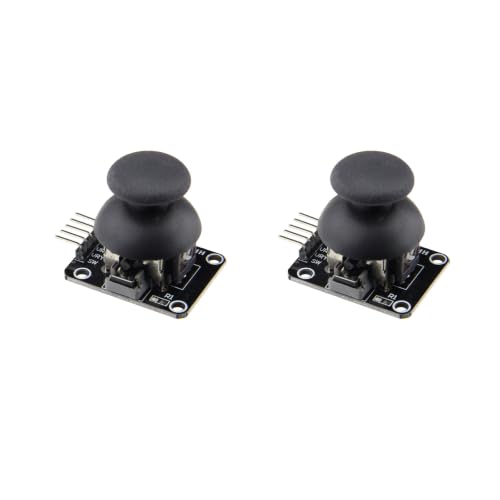
hiBCTR 2-Pack Joystick Module KY-023, Dual-Axis XY Analog
Joystick module used in BLExAR's haptic-feedback joystick build.
 $18.88Sensor
Teyleten Robot ATGM336H GPS+BDS Dual-Mode Module Flight Control Satellite Positioning Navigator Replacement NEO-M8N NEO-6M for Arduino 2pcs
Compact dual-mode GPS module used for BLExAR's pocket GPS tracker build.
 $21.98Tool
NRF52840-DONGLE Micro Dev Kit USB PCA10059
Wireshark BLE sniffer capturing over-the-air GATT transactions — see raw ATT Read/Write that become the CSV bytes this explorer frames.
 $29.14Book
Bluetooth Low Energy: The Developer's Handbook
GATT, ATT, L2CAP, and UUID breakdown — chapter 4 maps exactly to the service/characteristic tree this visualizer renders for HM-10 UART bridge.
 $8.99Prototyping
ELEGOO 400 Point Solderless Breadboard Kit, Small Prototyping Boards 6PCS
Standard prototyping breadboard used across BLExAR builds.
 $13.99Driver
Teyleten Robot 3D Printer Parts DRV8825 Stepper Motor Driver Module with Heat Sink for Ramps 1.4 StepStick A4988 (5pcs)
Driver board paired with the NEMA 17 in the stepper-motor build.
 $17.09Sensor
GREDIA 3/4" Water Flow Sensor Food-Grade Switch Hall Effect Flowmeter Fluid Meter Counter 1-60L/min (Pack of 2)
Flow sensor used in BLExAR's water-metering build. Uses a Hall-effect magnetic sensor — the same Biot–Savart field the tracer models.
 $12.88Sensor
INA226 Voltage Current Monitor 0-36V 20A Tester I2C IIC Power Monitoring Sensor Module
Power-monitoring module used in BLExAR's solar-panel characterization build.
 Power
Power2 Pcs 3.7V 600mAh 25C 802540 Rechargeable Ni-Mh Replacement Battery with USB Charger for Syma X5C X5SW Hengqi 905 Cheerson CX-30 Quadcopter RC Drone Spare Parts
Rechargeable battery used across portable BLExAR builds.
 $21.99RFID
hiBCTR 12-Pack Mifare RC522 RFID Kit, with S50 Cards, Keychains
RFID reader + tag kit used in BLExAR's Arduino RFID build.
 $13.88Actuator
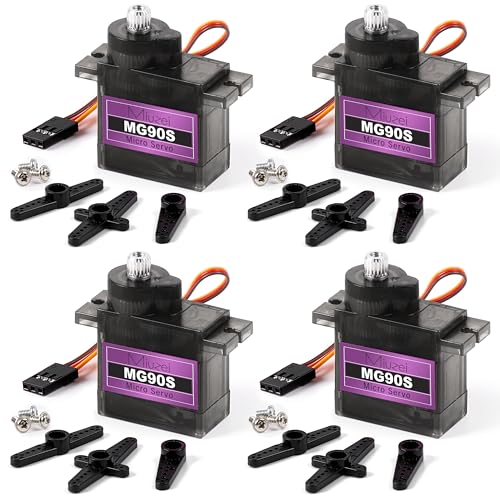
Miuzei MG90S 9G Micro Servo Motor Metal Gear for RC Plane Robot Arduino (4)
Micro servo used across several BLExAR Arduino builds.
 $7.99Storage
Geekstory 5 PCS Micro SD Card Module Mini TF Card Adapter with Memory Storage Breakout Board SPI Interface Driver + 40 PCS Female to Male Dupont Cable Line for Arduino Raspberry Pi
SD card module used for on-device logging in BLExAR's GPS and solar-panel builds.
 $15.99Sensor
HiLetgo GY-906 MLX90614ESF Non-Contact Infrared Temperature Sensor Module IIC I2C Serial for Arduino
Non-contact IR temperature sensor used alongside the thermal-camera builds.
 $66.30Sensor
MLX90640 Thermal Imaging Camera, 32x24 IR Sensor Array for Raspberry Pi, HVAC, Fire Detection – Low Power, High Accuracy, I2C Interface
Higher-resolution thermal array used as an alternative sensor across BLExAR's thermal and audio-array builds.
 $54.99Sensor
EC Buying GY-MPU9250 9 Axis Sensor 9 DOF Accelerometer with Gyroscope and Magnetic Field Sensors, 16 Bit AD Converter Data Output IIC I2C SPI
9-DoF IMU used in BLExAR's calibration builds. The onboard magnetometer is a 3-axis Hall-effect sensor — the same physics modeled by the magnetic field-line tracer — while the DMP outputs attitude as a quaternion matching CMHeadphoneMotionManager's format.
 $32.99Motor
iMetrx Nema 17 Stepper Motor 42x23mm 5PCS 17HS4023 Pancake Motor 1.5A-3.8V 2 Phase 4 Wires 1.8 Degrees with 1Meter Cable for 3D Printer Motors
Stepper motor used in BLExAR's Raspberry Pi motor-control build.
 $18.99Sensor
Deegoo-FPV NEO-6M GPS Modules with Antennas, 2-Pack
GPS module used across BLExAR's GPS tracker and audio-array builds.
 $12.99Component
BOJACK 12 Values 60 pcs Variable Resistor 100 to 500K ohm 3296W Multiturn Trimmer Potentiometer Assortment Kit
Used as a rheostat in BLExAR's solar-panel characterization build.
 SBC
SBCVilros Raspberry Pi 4 4GB Basic Starter Kit with Fan-Cooled Heavy-Duty Aluminum Alloy Case
4GB Pi 4 kit with case/fan — the compute base for BLExAR's LiDAR, thermal, GPS, and audio-array builds.
 $17.37Storage
SanDisk Ultra SDSQUNS-016G-GN3MN 16GB 80MB/s UHS-I Class 10 microSDHC Card
Storage card used in BLExAR's solar-panel data-logging build.
 $169.99SBC
iRasptek Basic Starter Kit for Raspberry Pi 5 4GB RAM -Includes 4GB Board, 27W PD Power Supply and Active Cooler
Pi 5 4GB board — Amazon verified ASIN B0CK3L9WD3. Was SparkFun third-party (no Originals commission); now Amazon affiliate (engineersport-20) for proper tracking.
 $259.95SBC
CanaKit Raspberry Pi 5 Starter Kit PRO - Turbine Black (128GB Edition) (8GB RAM)
Flagship Pi 5 8GB board — Amazon verified ASIN B0CK2FCG1K (via DuckDuckGo Amazon search). SparkFun third-party gave no commission; now Amazon affiliate.
 $15.99Power
SUNYIMA 10Pcs 2V 130mA Micro Solar Panels Photovoltaic Solar Cells with Wires Solars Epoxy Plate DIY Projects Toys 54mm x 54mm/2.13" x 2.13"
54x54mm panel used in BLExAR's solar characterization build.
 $9.99Display
ELEGOO 3PCS 0.96 Inch OLED Display Screen Module, Self-Luminous, SSD1306
Small OLED display used in BLExAR's Pico display build.
 $24.98Sensor
Wishiot TF-Luna LiDAR Range Finder Sensor Ranging Module 0.2m-8m UART I2C
Single-point LiDAR module used for BLExAR's distance-detection build.
 $5.99Actuator
2PCS PWM Vibration Motor Switch Module DC 5V for Arduino MEGA2560 R3 DIY Kit 9000RPM Minimum
Haptic motor used in BLExAR's joystick build.
 $18.23Display
1.54 Inch E-Ink Display Module 200x200 SPI Interface e-Paper Screen Compatible with Raspberry Pi Arduino, Ultra Low Power Electronic Paper for Shelf Labels DIY Projects
Low-power e-paper display used in BLExAR's Bluetooth e-paper build.
 $18.99LED
DIYmall 5PCS 16 Bits RGB LED Rings 16 X WS2812 WS2812B 5050 Lamp Light with Integrated Drivers Individually Addressable for Arduino
Individually-addressable LEDs used in BLExAR's Pico LED ring build.
Prices shown were retrieved from the Amazon Product Advertising API on 8 October 2026 and are indicative only — the price and availability on Amazon at the time of purchase apply.
Prices shown were each checked against the Amazon product listing between 8 August 2026 and 17 September 2026 and are indicative only — the price and availability on Amazon at the time of purchase apply.
More gear across every app: the full Gear list →
Two gotchas worth knowing
writeWithoutResponse is really fire-and-forget
Unlike BLE indications, notifications have no application-layer acknowledgment. If the radio drops a packet due to interference or distance, that row is simply lost — no retry, no warning. BLExAR detects loss indirectly via timestamp gaps. For critical sensor data, timestamp column + gap detection is your only safeguard.
iOS background BLE scanning limit
With bluetooth-central background mode enabled, iOS stops scan after ~10 seconds in the background. If you put the app in the background while peripherals are advertising, new discoveries fail until foreground. However, an already-active connection continues receiving notifications in the background — CSV logging keeps working even when the phone is locked.
Frequently asked questions
What is the difference between HM-10 and nRF52 for BLE UART?
HM-10 (CC2540) is a legacy BLE 4.0 module that pretends a UART is a single service (FFE0) with one characteristic (FFE1) — both read and write on the same handle. Notification payloads are capped at 20 bytes (ATT MTU 23), no flow control, and the internal buffer is 64 bytes. The nRF52 (nRF52832) uses Nordic's proper UART Service with split RX/TX characteristics, negotiates ATT MTU up to 185 on iOS (182-byte payloads; 512/509 on BLE 5), and has full flow control via SoftDevice. Both speak the same newline-delimited ASCII format — the difference is throughput and reliability.
Why use newline-delimited ASCII instead of a binary protocol?
Newline-delimited ASCII is self-resynchronizing: if a byte is corrupted or dropped, you lose at most one row. A binary length-prefix protocol can lose sync forever if the length byte is wrong. For lab sensors outputting human-readable numbers (temperature, ADC readings, timestamps), the minor efficiency cost of ASCII is worth the robustness and debuggability. You can also read the raw stream in Arduino Serial Monitor without a parser.
How does BLExAR handle variable MTU sizes from different peripherals?
BLExAR probes the peripheral's maximumWriteValueLength after connection and uses it to determine the chunk size. The CSV parser is MTU-agnostic — it doesn't care about packet boundaries because it accumulates bytes in a lineBuffer until it sees 0x0A (newline). A 20-byte-payload HM-10 fits one 15-byte row like "0.100,510,23.5 " plus the first bytes of the next, while an nRF52's 182-byte payload can batch 12 rows into a single notification for higher throughput and fewer CPU wakeups.
What happens when data arrives faster than BLE can transmit?
On the Arduino side, Serial.write() is non-blocking — it drops bytes when the hardware UART buffer fills up. The HM-10's internal BLE buffer is only 64 bytes and has no flow control, so if Arduino sends at 115200 baud while BLE only drains at 600 B/s (20 B × 30 notifications/s), data is silently lost. Solution: pace the Arduino with delay() to match BLE throughput, or switch to nRF52 hardware which supports flow control and higher MTU.
How does a CSV row get marked invalid?
BLExAR validates each row with a simple check: parts.length ≥ 2 AND parseFloat(parts[0]) is finite. A row starting with a valid timestamp passes. A row corrupted by a null byte (0x00) injected by wiring noise fails UTF-8 decoding or produces a NaN parseFloat. The visualizer highlights valid rows with a green check and invalid rows with a red ×. The corrupt byte injection button above demonstrates exactly this failure mode.
Shareable still
The instrument, captured—not illustrated.
This 16:9 frame is rendered from the real browser instrument above. It is the page's canonical preview for image search, link unfurls, and posts that need to show what the tool actually does.
Download 1280 × 720 JPEG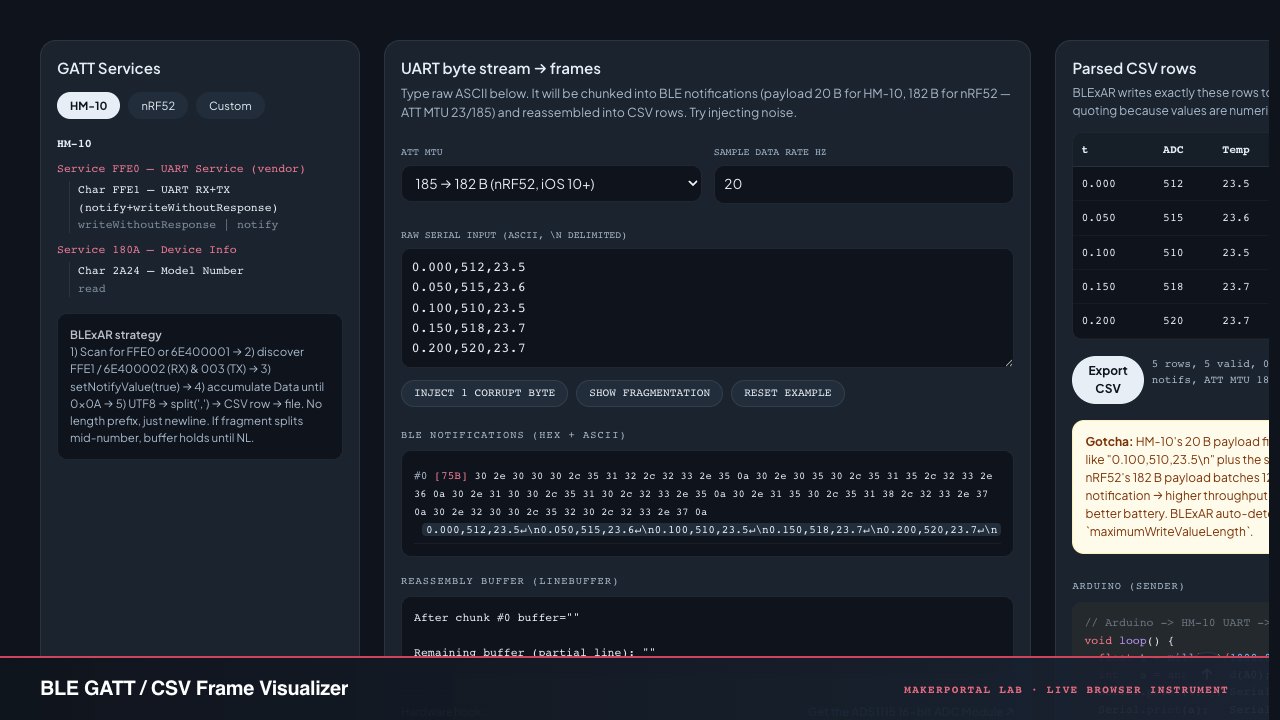
Continue the experiment